
In detail
Hospitality runs on two lists that usually live apart: the rota that says who is in, and the routines they have to get through. The open, the changeover, the fridge temperatures, the close, the weekly deep clean. All of it repeats, all of it falls to whoever is on shift, and all of it has to hold up when an inspector or a head-office visit arrives unannounced.
The industry also has the highest staff turnover of any EasyBee serves, which makes it the clearest case for building routines around teams instead of named individuals. A system that depends on everyone remembering how things are done here will be out of date within a season.
What repeats
- Opening and closing routines per area: front of house, kitchen, bar, cellar, scheduled daily and assigned to whoever is on shift
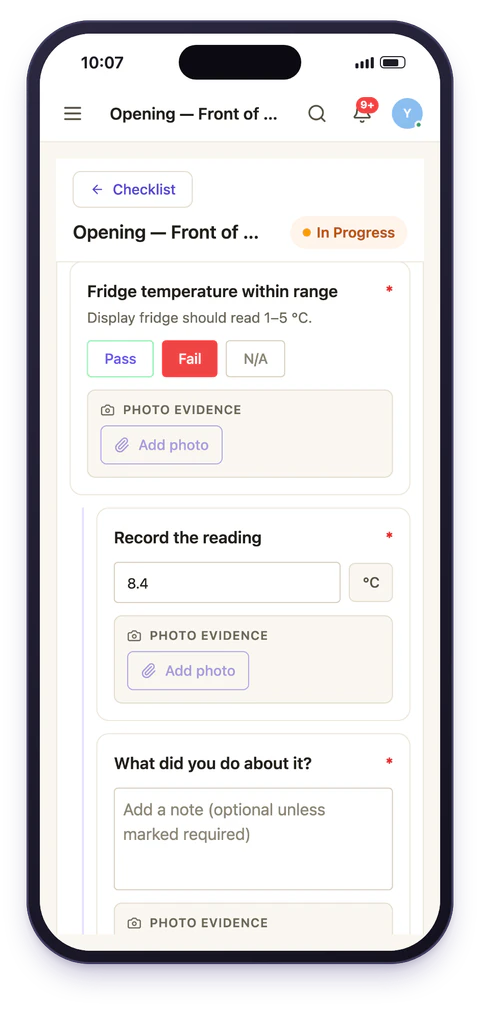
- Temperature and hygiene logs captured with a reading and a photo rather than a signature at the end of the week
- Changeovers and room turns with a per-room checklist and a supervisor check before the room is released
- Weekly and monthly deep cleans that never get skipped because nobody remembered whose turn it was
- Licensing and safety checks that are annual, easy to defer, and the first thing asked about
Why team assignment matters here
Staff turnover and shift swaps are constant. Assigning the Tuesday close to a named person means the task keeps generating and keeps not getting done the week they're off, and worse, it looks assigned, so nobody escalates.
Assign it to the closing team instead and it's in every closer's list, so whoever is in picks it up. The rota changes; the routine doesn't. With the rota in EasyBee as well, the close can go to whoever is on shift as closing supervisor that night, and nobody has to remember who that is. Each task also carries its location, so a group with six venues sees each site's routines separately without maintaining six copies of anything. This is covered in more depth under recurring schedules.
Training new starters without a training programme
A well-built checklist is the closest thing most hospitality sites have to documentation. A new starter following an ordered list of named checks, with the follow-up questions that appear when something is wrong, is being walked through the standard, not told to shadow whoever is on. That has a side effect to plan for: the checklist becomes the definition of how the site runs, so write it as though someone on their second shift will be the one reading it.
Multi-site consistency
Build the standard once as a template and attach it to every site. Rolling out a menu change or a new hygiene procedure is one edit, not fifteen conversations and a WhatsApp message that half the managers miss. Reporting shows completion by site and by shift, so the question stops being "is everyone doing it?" and becomes "which site needs help this week?" (which is) a question you can actually act on. See multi-site consistency.
Evidence when it counts
Every completed check carries a timestamp, the person who did it, and any photo or reading attached. When an environmental health visit asks what happened on a Tuesday three months ago, that's a filter and a date range. The per-step timestamps matter here more than in most industries. A hygiene log signed off in one burst at 23:58 tells a very different story from one completed across the evening, and inspectors know the difference.
A realistic first week
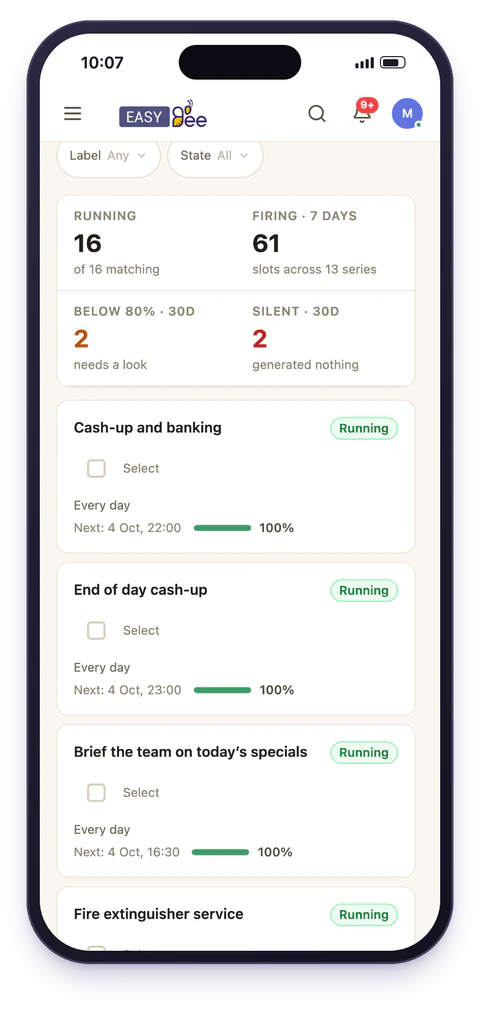
Most hospitality sites start with the close, because it's the routine with the most at stake and the least supervision. One closing checklist, assigned to the closing team, running daily, with photo evidence on the two or three items that have caused arguments before.
Once that's holding, the open follows, then the weekly deep clean, then the statutory checks that nobody enjoys tracking. Trying to digitise every routine in the first week is the most common way these rollouts stall. See opening and closing routines for the pattern that works.
Front of house and kitchen are different problems
It's tempting to build one site-wide routine. In practice the two halves of a hospitality site have different rhythms and different consequences, and merging them produces a checklist that's too long for either.
Kitchen routines are dominated by temperature, cleaning and traceability, they are the ones an environmental health visit will look at first, and they benefit most from readings and photos. Front of house routines are shorter, more frequent, and mostly about presentation, stock and security. Running them as separate schedules, assigned to separate teams, means each one is short enough to be completed honestly and each can be reviewed by the person who actually owns that area.
What it will not fix
Worth saying plainly: a checklist doesn't create supervision. If nobody looks at the completion data, a digital routine decays exactly like a paper one, just with better records of the decay.
The teams that get value from this are the ones where somebody. An operations manager, a regional, an owner: spends ten minutes a week on the completion view and follows up on what it shows. That is a small commitment, but it's not zero, and it's the difference between a system and a filing cabinet.