
How to make a staff rota that covers the week
How to build a staff rota from what each day needs, share the hours fairly, stay inside working-time rules and give people notice to plan around it.
This is a plain-English explainer, not legal advice. The authority on this topic is Acas. Rules change — check the current official guidance before relying on it.
A staff rota answers two questions at once: is every part of the day covered, and is each person's week workable? Most rotas are built from the second question, who is free, and checked against the first too late, when the gap is already on the floor.
The order below reverses that. It takes a little longer the first time and much less every week after.
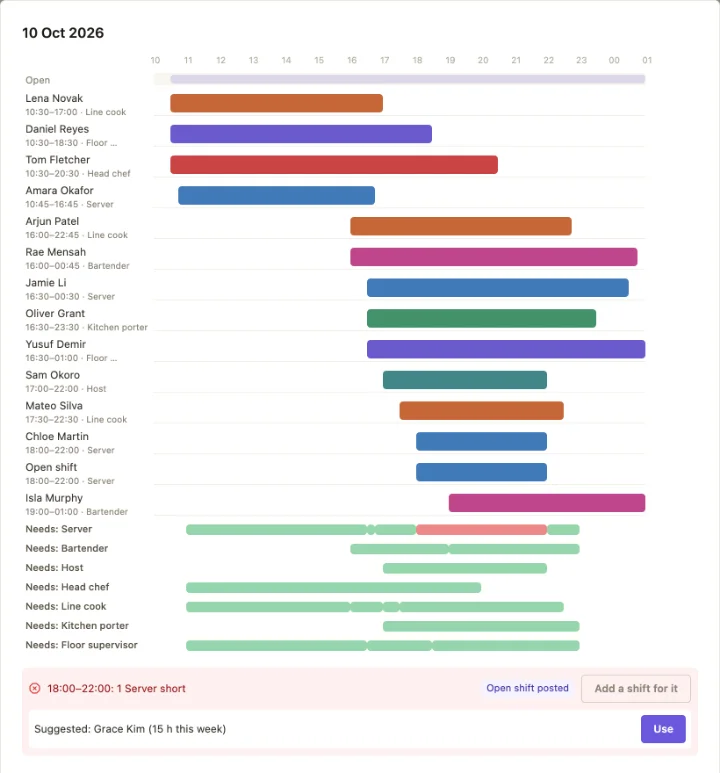
Start from what each day needs
Write down the cover before any names: how many of each position, from when to when, with the peaks. Two servers from eleven, a third through the evening, a head chef until close. Include the cover that isn't a position: a key holder to open up, a first aider whenever the doors are open.
Once the need is written down, a gap is something the rota shows you on Tuesday afternoon, not something the shift discovers on Saturday night.
Then fit the people
Availability
Leave already agreed
Hours against contract
Skills and certificates
Build from a pattern rather than a blank page. Most weeks look like last week, so copy it or start from a template and change what is different; a rotation that repeats every few weeks can generate itself.
Check the rules before you publish
A rota is where working-time law either holds or quietly doesn't. The limits for adult workers in Great Britain:
11 hours between working days
Daily rest
A 20-minute break over six hours
Rest break
24 hours off a week
Weekly rest
48 hours a week, on average
Usually over 17 weeks
Workers under 18 have stricter limits: no more than eight hours a day or 40 a week, 12 hours' rest between working days, and a 30-minute break when they work more than four and a half hours.
The close-then-open is the usual breach
Count the cost and the fairness
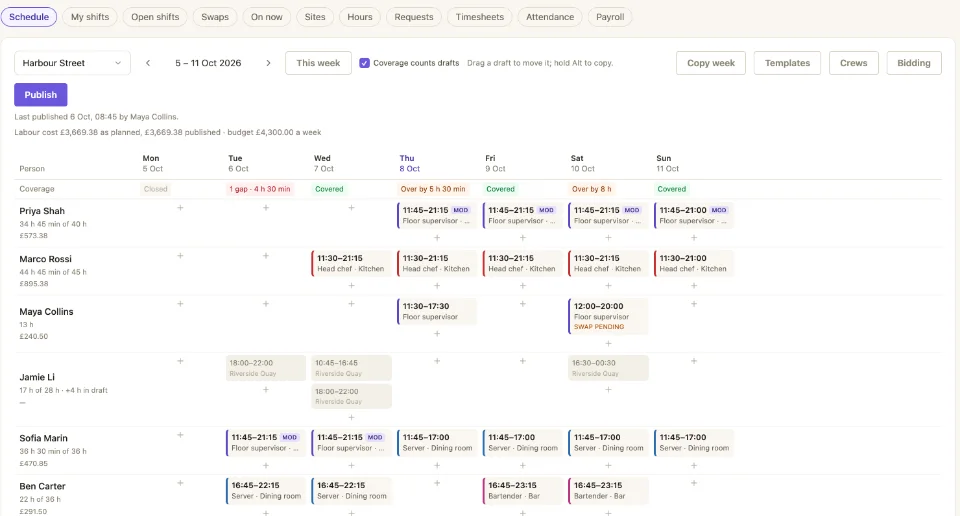
Before publishing, look at two numbers. The labour cost of the week against what the site can afford, and each person's hours against their target. A rota that covers every hour but puts one person on six closes and another on none is covered and still unfair, which the team notices long before a manager does.
Publish once, with notice
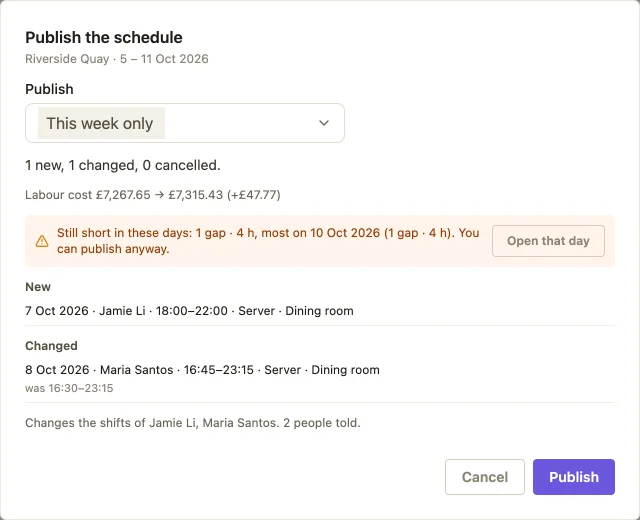
Publish the whole week at once, as early as you can, and tell each person what changed for them rather than asking everyone to spot the difference. Changes after that go through a request someone approves, not a private message: a swap between two people who can both do the shift, or an open shift anyone qualified can claim.
Related
What happens between the shifts on the rota is covered under shift handover, and recording the hours actually worked under timesheets and clocking in. The rota itself is shift scheduling in EasyBee.
Common questions
- How far in advance should a staff rota be published?
- No single notice period applies to every UK business, so check your contracts and current guidance. In practice the longer the notice, the fewer last-minute swaps follow, and many teams aim for two weeks or more. Whatever the period, publish the week in one go and tell people what changed.
- What rest breaks does a rota have to allow for?
- Adult workers are entitled to a 20-minute break when they work more than six hours, 11 hours' rest between working days, and 24 hours off each week or 48 hours each fortnight. Workers under 18 get more: a 30-minute break when they work more than four and a half hours, 12 hours' daily rest and 48 hours' weekly rest.
- How do you make a rota fair?
- Count it. Compare each person's hours with their contracted or target hours, and count the unpopular shifts (nights, weekends, public holidays) per person over several weeks. Fairness argued from memory goes to whoever remembers loudest; a count settles it.
More on people & shifts
Rota, time clock and payroll in one place
EasyBee holds the rota, the hours people clocked and the export your payroll needs.