
Timesheets and clocking in: recording hours worked
What a timesheet needs to show, the records UK employers must keep for working time and the minimum wage, and how clocking in feeds payroll.
This is a plain-English explainer, not legal advice. The authority on this topic is HM Revenue & Customs for the minimum wage, and the Health and Safety Executive for working-time limits. Rules change — check the current official guidance before relying on it.
A rota says who should be working. A timesheet says who did, when and for how long, and that is what pay, overtime, holiday built up from hours worked, and any dispute about them are settled on.
Most timesheet problems are not dishonesty. They are a forgotten clock-out that runs all night, a correction nobody can explain a month later, and hours retyped into payroll by hand.
What a timesheet needs to show
Actual start and finish
Breaks taken
The shift it belongs to
Every change, and who made it
Who approved it, and when
The records the law expects
Two sets of rules overlap here, and a timesheet is usually the evidence for both.
- 6 years
- Minimum wage records created on or after 1 April 2021, including total hours worked
- 2 years
- Records showing working-time limits were kept: the 48-hour average, night work, young workers
- Since 2024
- No separate record of daily hours is needed if compliance can be shown another way
Minimum wage records have to be producible as a single document for any one pay period. A spreadsheet assembled from three systems the night before a request can be done, but it is the hard way.
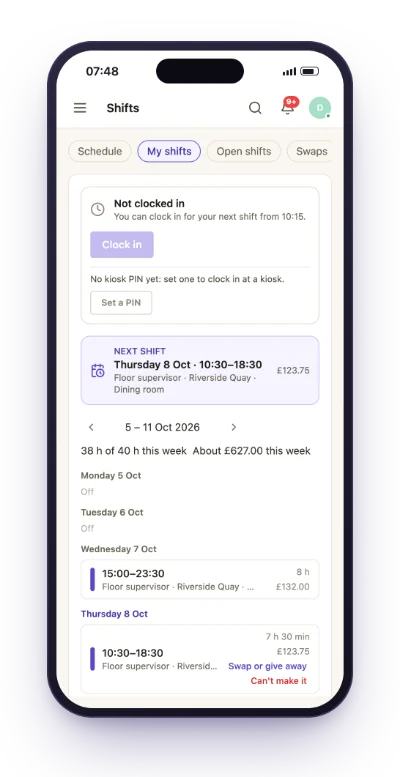
Clocking in that people trust
How people clock matters less than whether the record is believable and the rules are the same for everyone. The usual choices:
Their own phone
Optionally with location
A shared tablet by the door
Each person's own PIN
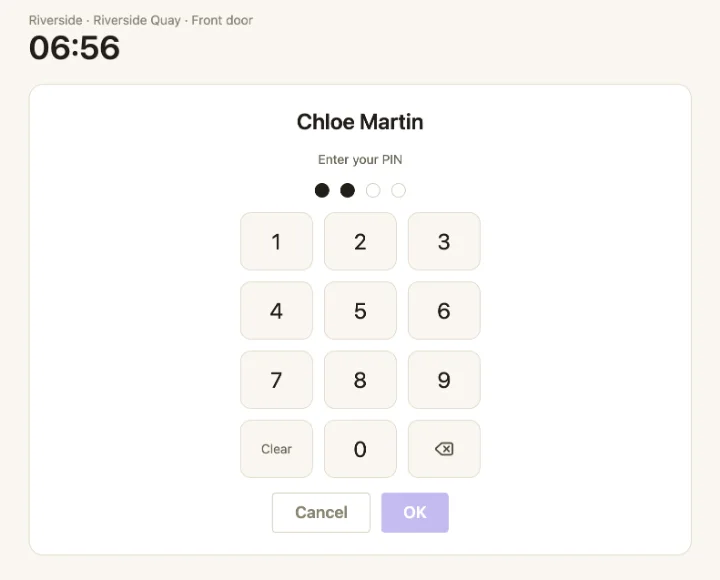
Two rules prevent most of the arguments. A clock-in window that opens shortly before the shift keeps a coffee before work from turning into paid time without anyone deciding it should. And a forgotten clock-out closes at the end of the shift, flagged for a manager, instead of running until someone notices.
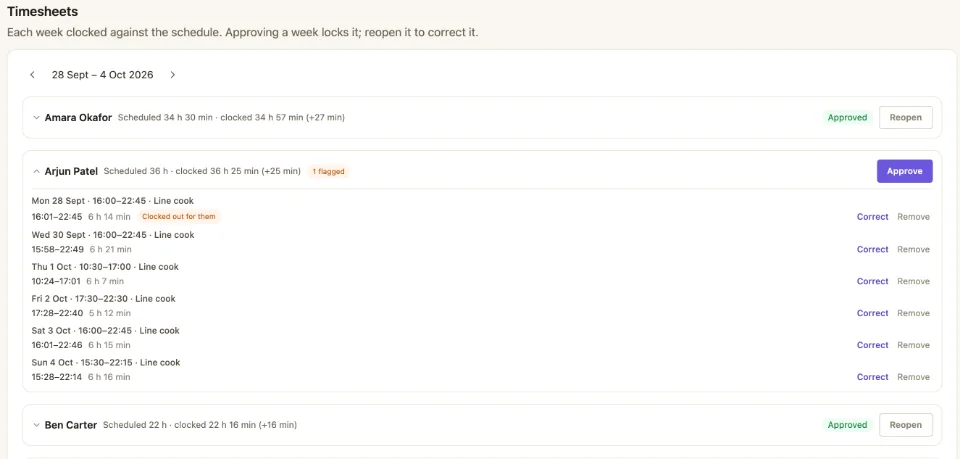
Approve the week once it is over
Approving a timesheet says the hours are right and can be paid. Doing it before the week ends approves hours that haven't happened yet, so approve once the week is over, and treat approval as the point the week is closed: a change after that is a deliberate act with a name on it.
Corrections are part of the record, not a failure of it. A manager who adds a clock someone forgot, or moves a time with a reason, leaves a timesheet more trustworthy than one that has never been touched.
From timesheet to payroll
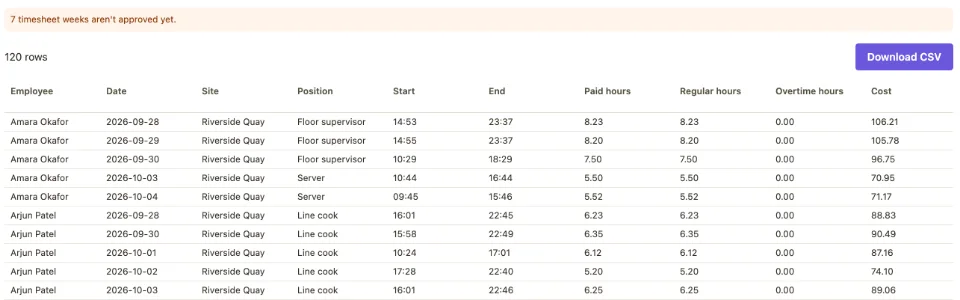
The last step is where hours are most often retyped, and retyping is where they go wrong. An export from the approved timesheets, with each shift as it was worked and the columns your payroll provider expects, removes the step entirely. It should also say when it isn't ready: a week still waiting for approval is a week payroll shouldn't trust yet.
Related
Building the rota these hours are measured against is covered in making a staff rota. The time clock, timesheets and payroll export are part of shift scheduling in EasyBee.
Common questions
- How long do employers have to keep timesheets?
- Records that show you paid the minimum wage must be kept for at least six years if they were created on or after 1 April 2021. Records that show compliance with working-time limits must be kept for two years. A timesheet usually supports both, so it is normally kept for the longer period.
- Do employers have to record daily working hours?
- Not as a separate record since 1 January 2024, provided you can show compliance another way. You still need records showing that nobody works more than 48 hours a week on average without an opt-out, that night-work limits are kept, and that young workers aren't working restricted hours, and minimum wage records need the total hours worked.
- Should clock-in times be rounded?
- Rounding that always favours the employer takes paid time from people who were working, and if it takes someone's pay for a period below the minimum wage, that is an underpayment. Record the actual times, and make the rules for early and late arrivals clear and the same for everyone.
More on people & shifts
Rota, time clock and payroll in one place
EasyBee holds the rota, the hours people clocked and the export your payroll needs.